Do I need to Design Mobile Friendly Site?
If you are just in the design phase of your website or already have a website, it is important to know the changes that Google will be making as of April 21, 2015. On that date Google’s Ranking Algorithm will change. This change is to accommodate the internet mobile users, in order to make sure you Design Mobile Friendly Site please read on for some tests you can easily perform.

Mobile Friendly
Globally in 2014, internet mobile usage actually surpassed computer usage. The gap is even greater in 2015. Because of this, Google stepped up to start making changes to accommodate all of the mobile users searching the internet.

Traffic is important
To us bloggers, rankings and SEO correlate to the amount of traffic we receive on our websites. Therefore with these new Google changes, we need to consider misaligned images and links that may be too close to each other. These are both problems that will cause your site to not be mobile friendly. If your site is not compatible, you will see changes in your rankings and therefore in the all important traffic that we all need.
WordPress thru Wealthy Affiliate
If you are using WordPress thru Wealthy Affiliate, you are probably good but you should still consider the tests that I share below just to make sure. Most of the themes that are available in WordPress are already adaptable to different screen sizes which is what is needed to view websites on mobile screens.
Four ways to check your site
At this point , you will want to check each of your sites to make sure that you are “Mobile Friendly”. There are four different ways you can do this.
Webmaster Tools
You should be using Google Webmaster Tools by now as an SEO tool for your sites. If you are not, my post Learn-Use Google Analytics will walk you through the set up process. To check your site for Mobile Usability, go to Google Webmaster Tools⇒Search Traffic⇒Mobile Usability (see example below).
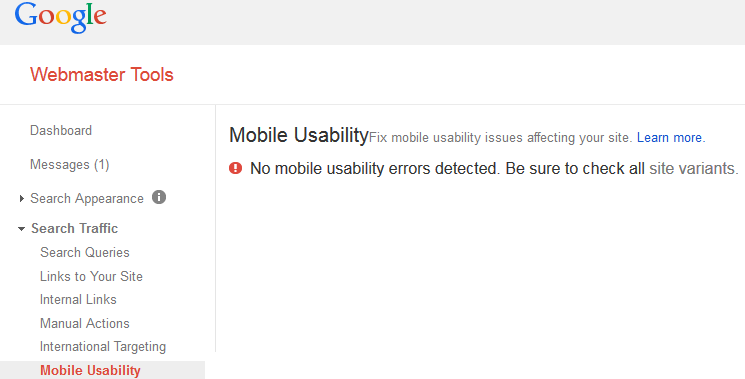
When you complete this test, the results will show you if you have any errors that need addressing and how to fix them.
Mobile Friendly Test Tool
The next test you can use is the Mobile Friendly Test Tool on Google. This test will need to be ran for each of your pages and each of your posts. It may take a little time, but I would suggest that for the sake of your rankings you should do it. To get to the test from Webmaster Tools, go to the top right corner and click the help drop down box. Then type Mobile Friendly Test as shown below.
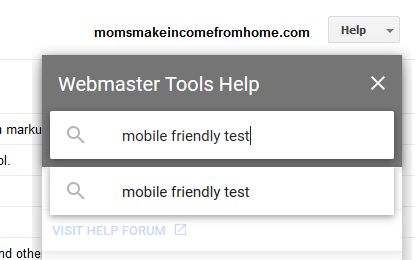
Once you hit enter, choose the first item which is Get Started – Webmaster’s Mobile Guide – Google Developers. The first item on the list will take you to the Mobile Friendly Test. Enter your first URL and see the results.
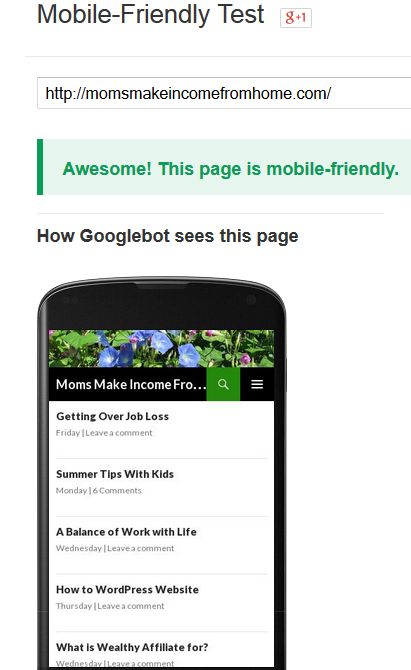
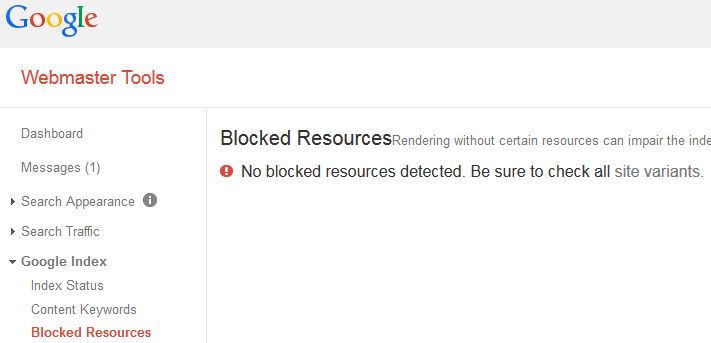
Again the test results will show you if you are “Awesome! This site is mobile-friendly” or if you have errors that need to be addressed. On some of my pages, it has shown that I am Mobile Friendly but it has shown that I have resources which are blocked by robots.txt. If you need to check for blocked resources, you can go to Webmaster Tools⇒Google Index⇒Blocked Resources. This test will tell you if you have any blocked resources to be concerned with.
Theme Details
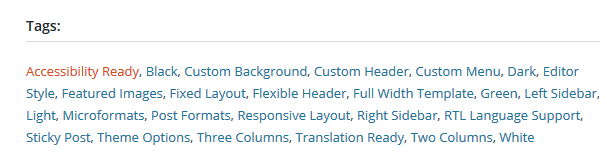
You can also go into the details of your chosen theme to check if your theme is mobile compatible. To do this you can either go to your theme in WordPress and read the theme details or you can visit WordPress.org. In the theme details you should see one of the following.
- accessibility ready
- responsive theme
- mobile compatible
Use a smartphone
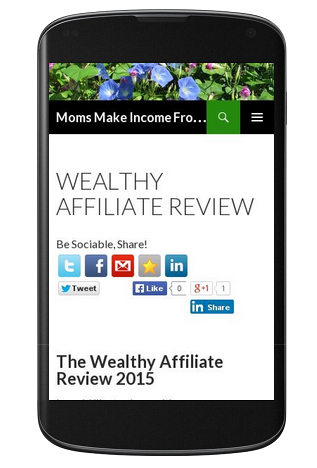
The last way you can check on the comparability of your own websites, is to use a smartphone and navigate through each of your pages and posts to see how it would be as a user to visit your site. Is it easy and clear to navigate or difficult to use? A great user experience test!
Content can be an issue
Remember that even if your theme is compatible, some of your pages and posts may not be due to your own content. This could be because of images that are misaligned, links that are too close together, and text that is too small. Please check every Page and every Post using these tests to make sure you have a design mobile friendly site!
I hope this post has been informative and has helped your design mobile friendly site. Please let me know if you have any questions, I am happy to help.
I look forward to hearing from you!
Gena